


Ready to automate your workflows?
Discover how we can transform your complex challenges into intelligent execution.
Martin Alcock is the Design Lead at Razor, and he’s here to talk to you about how good design can be used to make effective immersive experiences in AR (Augmented Reality) and VR (Virtual Reality).
I find the design for immersive experiences fascinating and I could talk to you about it all day. It’s a relatively new field and we don’t know all the answers yet, which makes it incredibly exciting! We’re breaking new ground and we get to think about things in a different way from our normal point of view. We’re not working with the usual point and click, or scroll and tap. We get to create an environment that our users get to experience, as though they’re really in it!
Now don’t get me wrong, creating immersive experiences isn’t without challenges.
The challenges of designing immersive experiences
One of the biggest challenges is that there are no current standards to follow. People know to fill in text boxes and to point and click, but people aren’t really sure what to do in immersive environments.
Legibility is also a big issue. Everything is high-resolution, which is awesome but the text is right in front of your eyes so you need to make it really big to be readable in VR. Which isn’t particularly comfortable. But some of the groundwork for this has already been done - thank you video games! That’s another reason why you’re awesome. And tech is getting better all the time, which means we’re constantly faced with exciting new possibilities. So now we’ve covered some of the challenges, what can we do to create good experiences?
What can we do to design good immersive experiences?
We don’t have to be tied to the real world which means the possibilities are endless. A lot of the UI / UX experiences have been carved out by the gaming industry way before VR was a thing. It may be unfamiliar but it’s intuitive. Let’s talk about the different kinds of UI (User Interface). Firstly, we have Diegetic UI, which is all about dialogue and creating a narrative. The user would get to experience things that are actually in the game world, for example, if they needed to flip a switch you can physically design a switch for them to flip, rather than just having a button for them to press. You know in movies the characters can’t hear the soundtrack playing, but they can hear a bang in the next room? This is like that.
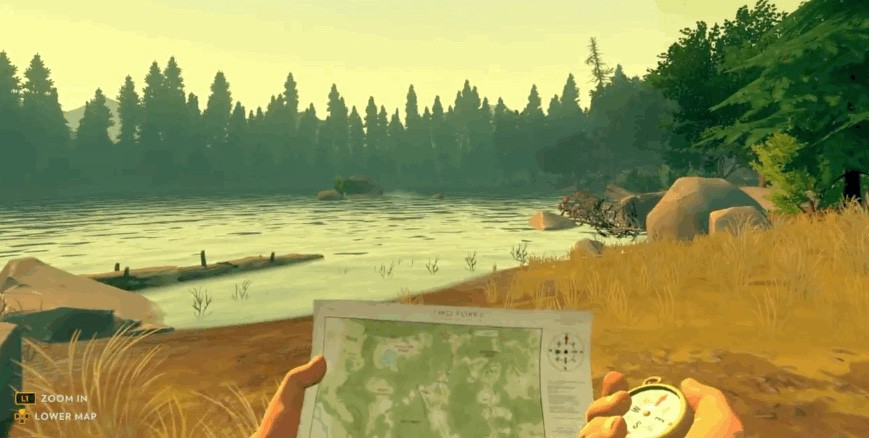 This screenshot from Firewatch is a great example of Diegetic UI where the player has to physically take the map out to look at it.
We also have Non-Diegetic UI, which is the complete opposite. It’s a slightly older approach where you have heads up displays that you can’t have in VR as there isn’t the concept of a viewport that you watch the world through. However, you might get big floating buttons or a sign that says “go over here!”
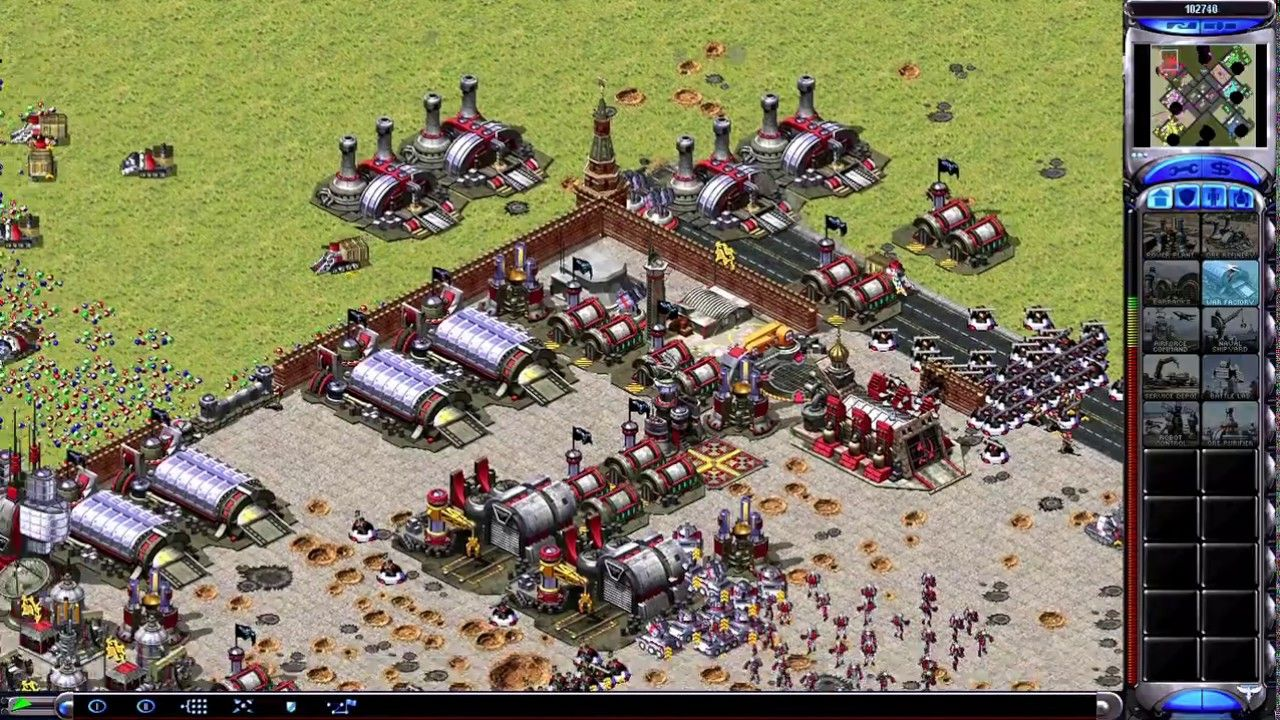 This screenshot from Red Alert shows a traditional heads up display on the right-hand side of the screen.
There’s also Spatial UI, which is when there are things in the game world that the characters are unaware of, but they’re there to help the player. This can be things like name tags hovering above players. This is really cool because it gives the players context that isn’t practical in another way.
 This screenshot of Rocket league shows an example of Spatial UI with the name tag hovering over player 2.
And finally, we have Meta UI, which is also pretty cool. The character might be looking at something but you get a different view of it. It adds extra information to the player but within the context of the game world.
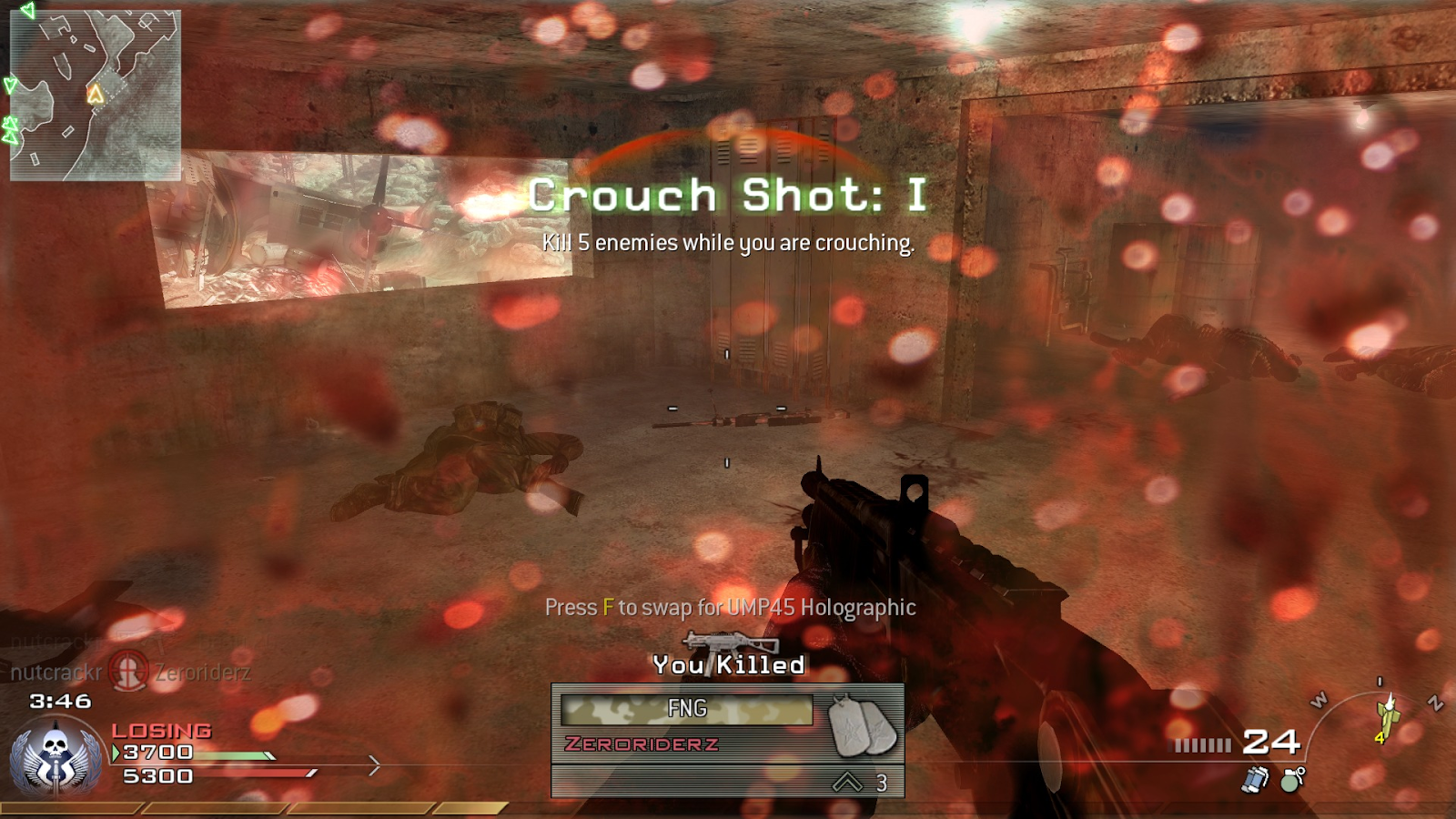 This screenshot shows the blood splatter that hits the players screen in Modern Warfare which is a great example of Meta UI.
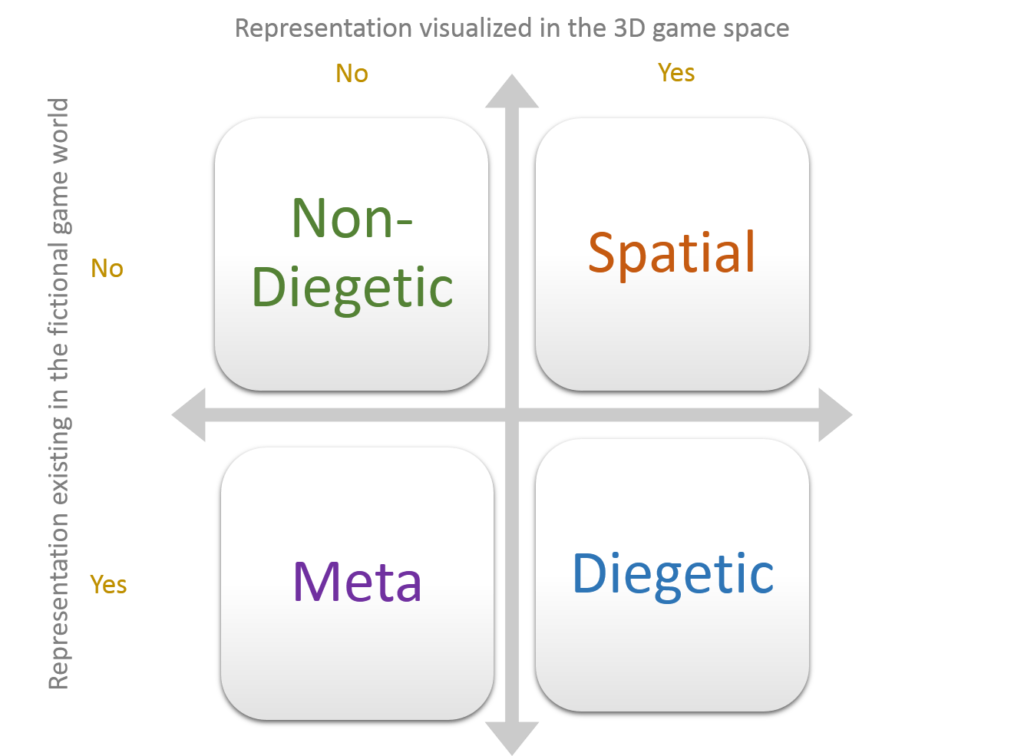
So, what kind of UI works best in VR? Well, you can use any of these options when creating an immersive experience, but you should choose wisely. You need to have Diegetic UI but maybe Meta UI wouldn’t be your best choice. It really all depends on the context and the goals of the experience you’re creating.
This handy chart might help you make the right decision on the best choice of UI for your experience.
What are my top tips?
So, want to know my top tips for creating awesome UX and UI for immersive experiences?
- Always remember that content is king
- Think about what the priorities are for the experience you’re building - if you’re designing a game, the user tends to prefer immersion and play. But if you’re designing an app, the user will prefer clarity and legibility. If you’re creating something business focused the priority is going to be the legibility of text
- It’s also important to be kind! Don’t make your users throw up by moving the camera when the user isn’t moving, it’s important to keep your tracking smooth.
- You want to find a balance between skeuomorphism and immersion - you want the user to be immersed in the world but we also want to be able to instruct them, so they don’t get frustrated trying to do things that aren’t supported by the game or app
- You should also consider the input, do you really have to use a keyboard?
- Don’t use buttons when you can use gestures and make the user explore the space by forcing them to move around. What’s the point in standing still?
- Create impossible spaces with infinite scaling, you can put a whole room in your head!
- Remember that creating for VR and AR is different to normal design, so embrace the medium - It’s exciting!
Want to know more about User Experience and design thinking? Find out More...
More from our team
Keep Reading

The Era of Agentic Token Economics
Learn how engineering teams control agentic AI token costs with smaller models, efficient context management and production-focused architecture.
Making Manufacturers Superhuman: Why AI is Your New Best Teammate
Explore Making Manufacturers Superhuman: Why AI is Your New Best. Read practical guidance and perspectives from Razor’s technology specialists.
NVIDIA GTC 2026: Translating Keynote Hype into Enterprise AI Value
Explore NVIDIA GTC 2026: Translating Keynote Hype into Enterprise AI. Read practical guidance and perspectives from Razor’s technology specialists.
Diving deeper into Razor
Your Next Move

AI Activation & Proof of Value
Stop guessing where AI will help. Razor's AI Activation engagement helps you identify high-value use cases, map data readiness, and build working Proofs of Value.

Digital Innovation Consulting & AI Sprints
Test high-value digital ideas in 2 to 4 weeks with Razor\
Rapid Insight Discovery for Software Projects
Validate technical feasibility, frame complex problems and align stakeholders before committing to a full software or transformation build.